• Contact
  • Advertising
  • Submit an Article
Computer & Apple, iPhone, iPod, iPad news, reviews, tutorials & hacks Watch TechGeec on YouTube Follow TechGeec on Twitter Like TechGeec on Facebook Donate via PayPal Subscribe via RSS Image Map

Computer, Jailbreak & iPhone, iPod, iPad tutorials, hacks, reviews & news

  • Home
  • Videos
  • Articles
  • iOS Info

How to Backup Jailbreak Apps, Tweaks, Data

Posted on August 31, 2012 by David

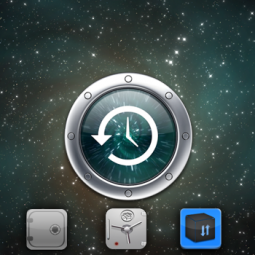
Backing up jailbreak data has always been an issue for those of us who have jailbroken iPhones, iPod touches, or iPads. Luckily there are a few ways to backup this data and have it easily restored the next time you have to re-jailbreak your device.

AptBackup [FREE] – This app is extremely simple and minimal. You tap a button that says “Backup” your data is automatically stored in a list. When you want to restore that data you tap the “Restore” button and it will re-download all of the jailbroken packages that you had before. The problem with this app, however, is that you must restore from a backup which means you won’t be able to have a fresh, clean, new iOS version. You’ll always have your left over junk data which bogs down your device. I have had issues with this app in the past not re-installing jailbreak data which is one of the reasons I no longer use it.

xBackup [$1.50] – This app is very similar to AptBackup in that it is very simple and minimal. The difference, though, is that xBackup will backup your data list to their servers so that you can do a clean restore on your device and start fresh.

PKGBackup [$9.99] – PKGBackup is my personal favorite as it provides many unique and useful features. The price is relatively high for a jailbreak app but given it’s usefulness it is well worth it. You can send your backups to Dropbox or any other cloud storage and you can schedule backups. Many other features are present and are shown in the video.

All three of these apps are available on default repositories so there is no need to add any sources.

Question: Have you used any of these apps before. If you have, which one, and if not, which one will you be trying?

  •  
  •  
  •  
  •  
  •  
  •  
  •  
  •  
  •  
  •  
  •  
  •  
  •  
  •  
  •  
  •  
  •  
  •  
  •  
  •  
This entry was posted in Hero Slider, Jailbreak, Videos and tagged apple, apps, aptbackup, backup, cydia, cydia store, Data, free, get back, how to, howto, ipad, iPhone, ipod touch, jailbreak, keep, pkgbackup, redownload, reinstall, rejailbreak, restore, review, Save, themes, tweaks, xbackup. Bookmark the permalink

Leave a Reply Cancel reply

You must be logged in to post a comment.

  • Watch Our Technology Videos on YouTube!

  • Affiliates

  • Tags

    1g 2g 3g 3gs 4 4.0 4g 2010 2011 app apple application case computer cydia easy event fast firmware free how to ios ipad iPhone ipod ipod touch itunes jailbreak mac new news os pc protect redsn0w release review steve jobs techgeec touch tutorial update verizon wifi windows
  • About

    TechGeec is a producer of technology related videos and articles within the fields of news, reviews, tutorials and hacks. The subject matter has a strong focus on computer (Mac and Windows) tutorials and hacks as well as iDevice jailbreaking content.
  • Featured Video

  • On YouTube

  • Connect with us:
  • Twitter
  • Facebook
  • YouTube
  • Subscribe
  • © Copyright 2013 TechGeec.com. All Rights Reserved.
  • An EVOQ subsidiary.

  • Log in