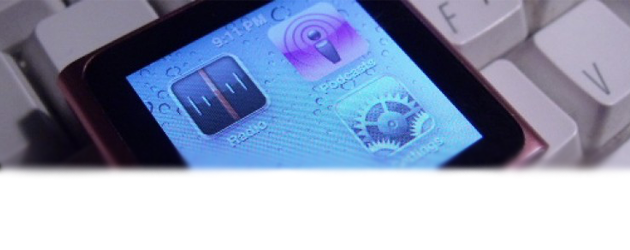
This tutorial enables you to remove application icons from the iPod Nano 6G’s SpringBoard and insert blank spaces into the those locations. The iPod Nano in this tutorial is running the current 1.0 firmware and is Windows-formated. This will not work with a Mac-formatted Nano. It’s fairly basic and simple, but shows that booting with a user modified file is possible and is a nice proof of concept and is the first small ‘hack’ as such for the new iPod Nano. Before doing this, read the iPod Nano hacking primer, which James Whelton, the hacker, wrote here: http://nanohack.me/?p=33
Tutorial (via NanoHack.me)
- Make sure “Enable disk use” is ticked in iTunes when the Nano is plugged in.
- Go to My Computer and then into the Nano. Enable hidden folders and go into theiPod_Control, then into Device.
- Make a backup of IconState.plist (save it to your desktop or something) and then proceed to open the original with Notepad or any text editor, here is what you’ll see this:
- For this tutorial I removed the SBPhotos part of the corresponding string and deleted the SBAlbums and SBGenres. (Note: you aren’t actually deleting the apps, simply removing their visibility from the system).
- Save this file.
- SyncTug it: hold down the minus volume button and lock button at the same time and as soon as it begins to reboot (screen flashes black for a moment), unplug the iPod cable from it.
- Watch it boot and show that the Photos and Genres app are missing and a space before the Settings app.
Its that simple and the same ‘SyncTug’ technique can be used on the iPodSettings.xml file to change stuff like wallpaper and whatnot (so far just playing, I’ve altered a few setting with it, have not looked greatly into it). Play around with it and post your findings. In the case you muck something up, just connect it your computer and replace the IconState.plistwith the backup one we made earlier and SyncTug. Failing that, simply restore in iTunes. Something to note also is that if you attempt to press down on an icon and move it, the iPod nano will do a quick reset as it can’t understand why the hell theres a blankspace. The iPod will also sync fine in iTunes and retain this hack.


haha funny thing. did this on mac formatted ipod nano. so why can't we do this again exactly???
Apple's updated the software since this article was posted and they now offer the feature to choose which icons are displayed on the iPod so this hack is useless now.